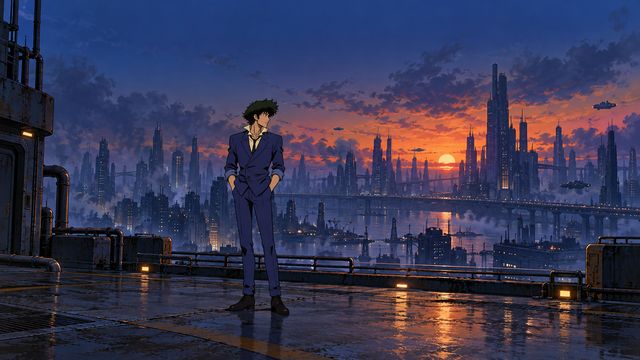
Spike at Blue Hour
A cool blue skyline gives Spike a quiet silhouette, balanced by a warm strip of sunset. Try a dark theme with a restrained accent.
Preview and use this wallpaper → TabTuyo
Curated collection · 4 selections
Character-led scenes with room to breathe
A dramatic anime wallpaper works best when the character and the browser interface each have their own space. This selection pairs the painted, late-1990s atmosphere of Cowboy Bebop fan artwork with the sharper silhouettes and luminous skies of Bleach fan artwork. These are original fan compositions inspired by the named series, not official promotional images.
Look for the contrast between a small, readable figure and a much larger environment. Blue-hour skylines feel restrained; a fiery eclipse feels more intense. The black robes, blue suit and warm lantern light create different moods without relying on large lettering or logos. Choose the mood you want to return to throughout the day, rather than picking only the busiest image.
Keep the search box above the character and place Favorites and Recents along the quieter outer edges. A compact clock in the upper-left corner leaves the central silhouette visible. If the subject feels crowded, move or hide a panel before changing the artwork. A wide window still crops differently from a tall one, so check the result in your normal browser size.
These selections use dramatic character and nighttime imagery. A face, weapon or silhouette can become hard to recognize when covered by search or a tall favorites list. Favor readable panel contrast over matching every accent color to the character’s effects.
Place the clock and search in the surrounding quiet space, and use one narrow favorites panel first. Check the subject in a smaller window because cover-style cropping can remove hair, hands or props near an edge. These are fan-art-inspired selections, not official franchise releases; names identify the subject rather than a license.
Open an individual item to check its file information and composition. Apply changes the active wallpaper; Save keeps it for later. Wait for the transfer to finish, then check a fresh new tab at your usual window size. For media-source distinctions and upscaling information, read about the artwork.
A cool blue skyline gives Spike a quiet silhouette, balanced by a warm strip of sunset. Try a dark theme with a restrained accent.
Preview and use this wallpaper →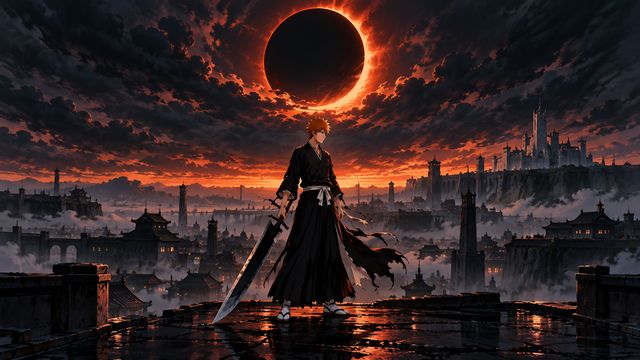
An orange eclipse makes this the highest-energy choice in the selection. Keep widgets away from the sword and central figure.
Preview and use this wallpaper →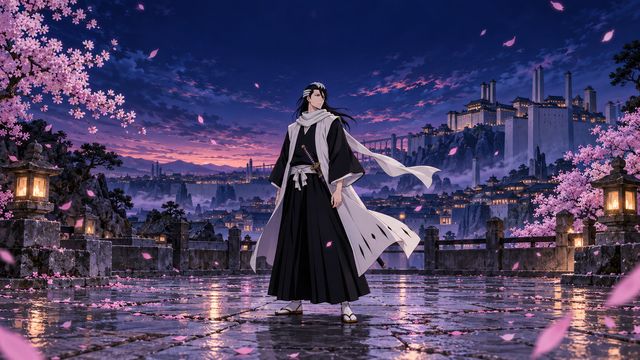
Pink petals soften the deep indigo cityscape. A pale text color on dark panels keeps the scenery readable.
Preview and use this wallpaper →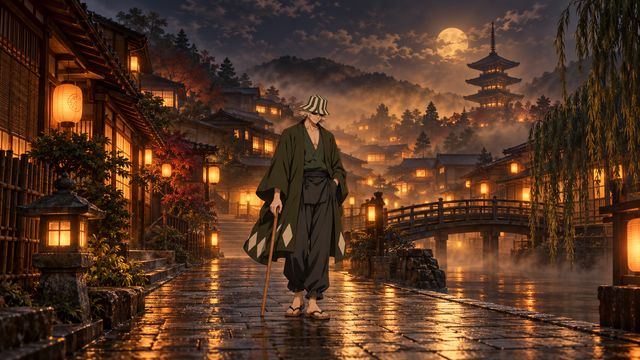
Amber lanterns and mist create a warmer alternative to blue night scenes. Place panels outside the figure and bridge.
Preview and use this wallpaper →Open an artwork to inspect its full composition. Choose Use in TabTuyo to apply it, or Save to library to keep it for later. Wait for the transfer to finish before closing the page. Your background is stored on your computer.