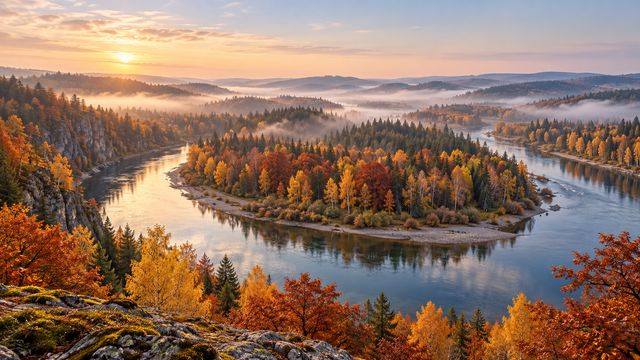
Copper River Bend
A wide curve leads the eye through copper forest and morning mist. Best for a spacious layout.
Preview and use this wallpaper → TabTuyo
Curated collection · 4 selections
Warm color, moving water, quiet mornings
Autumn does not have to mean a wall of saturated orange. These four generated, photorealistic-style scenes use water to give the foliage a resting place: a broad river bend, a reflected bridge, a reed marsh and a rocky stream. They are imagined landscapes rather than documentary photographs of a verified location.
The river panorama has the broadest sense of distance. The bridge is more intimate, using a clear arch and reflection as its focal point. Golden reeds make the marsh feel soft and open, while the stream brings more texture and a cooler, rainy mood. This is a useful collection when you want seasonal color without a character competing with your everyday tools.
Use a small clock over the pale sky and keep the center open for the river or bridge. With the stream, a solid dark panel may be easier to read than a light panel over detailed leaves. Try one or two useful modules first; only add more if there is still room to see the water. Preview at your usual window size to check the bridge remains visible.
Orange foliage supplies the strongest color while reflections repeat that color lower in the frame. If your panel sits over leaves, a solid or sufficiently dark surface is easier to read than a very transparent one. The calm water is valuable negative space, so consider keeping part of it free.
Start with search in the upper quiet area and put favorites on the less detailed bank. Keep a wide notes panel away from the main reflection. Test your long favorite labels at normal font size; a theme that matches autumn colors still needs enough contrast to be useful.
Open an individual item to check its file information and composition. Apply changes the active wallpaper; Save keeps it for later. Wait for the transfer to finish, then check a fresh new tab at your usual window size. For media-source distinctions and upscaling information, read about the artwork.
A wide curve leads the eye through copper forest and morning mist. Best for a spacious layout.
Preview and use this wallpaper →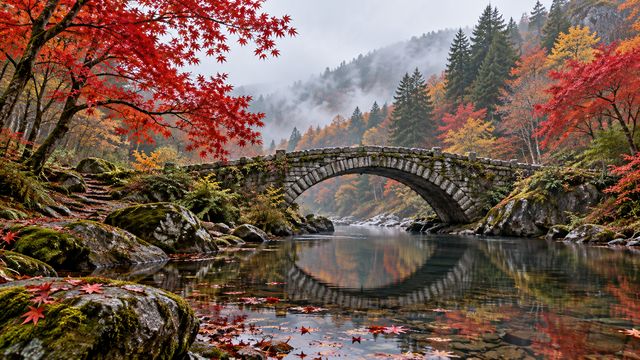
A stone arch and its reflection create a strong center. Leave that center free of tall modules.
Preview and use this wallpaper →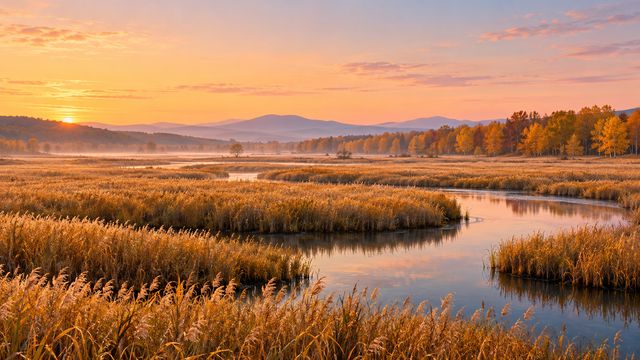
Peach sky and golden reeds make a softer, lower-contrast seasonal background.
Preview and use this wallpaper →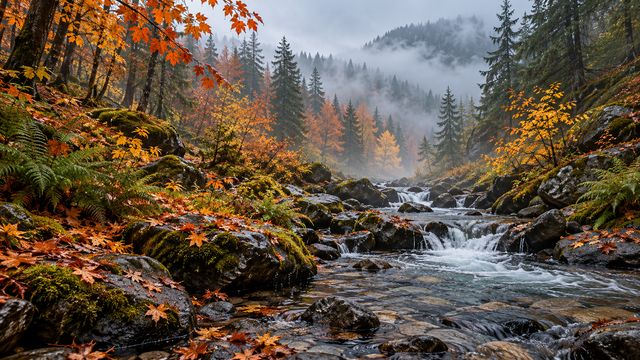
Wet stones and small cascades add texture. Pair with simple, readable panels.
Preview and use this wallpaper →Open an artwork to inspect its full composition. Choose Use in TabTuyo to apply it, or Save to library to keep it for later. Wait for the transfer to finish before closing the page. Your background is stored on your computer.