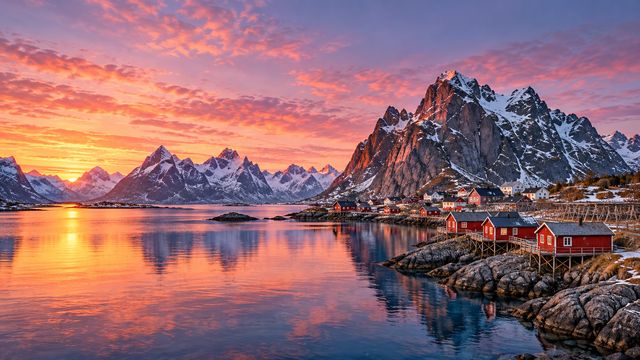
Lofoten Rose Dawn
Red cabins and snowy peaks are warmed by a pink dawn reflection.
Preview and use this wallpaper → TabTuyo
Curated collection · 4 selections
Open horizons, cool water and changing light
This selection explores northern coastal moods through generated, photorealistic-style scenery. Red cabins and a rose dawn evoke Lofoten, basalt and mist evoke Iceland, and softer dunes suggest the Baltic shore. The arctic cove completes the collection with snow and deep blue water. These are place-inspired compositions, not verified travel photographs.
Each scene uses a different balance of warmth and cool color. The village has the richest pink-orange light; the basalt shore is deliberately gray and turquoise. The dunes feel lighter and more familiar, while the snowy cove has the most spare winter palette. Pick the weather and light that suit your room as much as the place name.
The open sky is useful for a clock, but keep search clear of the main mountain ridge where possible. Side panels can cover the outer scenery, so check the cabins and sea stacks are still visible. With pale snow or sand, choose dark panel backgrounds and readable text. Avoid adding a large module over the horizon if that is the part of the scene you enjoy most.
For the warmest option, begin with Lofoten Rose Dawn and keep the cabin reflection visible between your side panels. Basalt Shore Mist works better when you want muted color; use a clearly outlined search field so it does not blend into the gray sky. Baltic Dune Light suits a lighter workspace, while Arctic Blue Cove leaves a quieter winter impression.
Start with a compact clock at the upper left, search above the main ridge and one favorites panel. Resize the browser narrower and check that the cabin or sea stack remains visible. If the image loses its subject, preserve the full composition with a fitting mode or choose a scene with more central space.
Open an individual item to check its file information and composition. Apply changes the active wallpaper; Save keeps it for later. Wait for the transfer to finish, then check a fresh new tab at your usual window size. For media-source distinctions and upscaling information, read about the artwork.
Red cabins and snowy peaks are warmed by a pink dawn reflection.
Preview and use this wallpaper →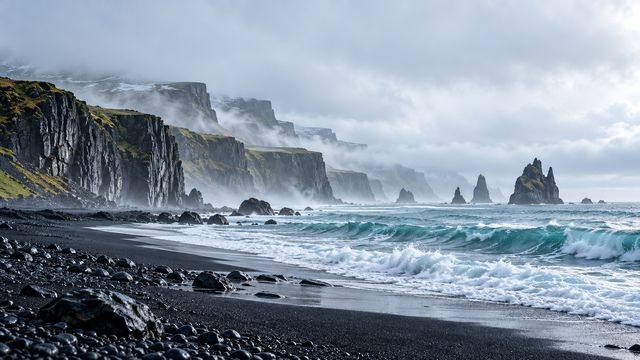
Silver mist, basalt cliffs and black pebbles create a moody cool palette.
Preview and use this wallpaper →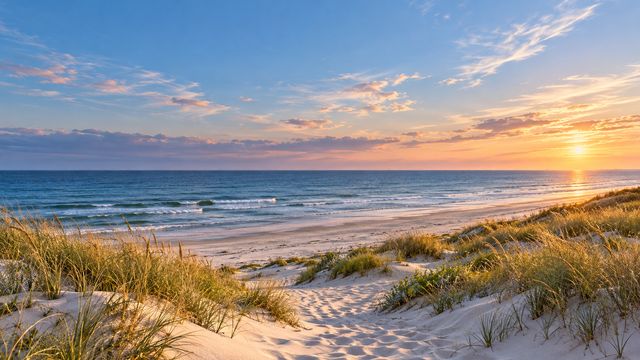
Beach grass and pale sand frame a quiet sea beneath pastel light.
Preview and use this wallpaper →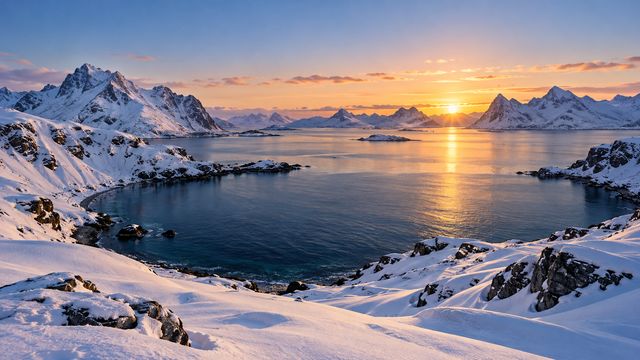
Deep blue water and snowy slopes make a simple winter panorama.
Preview and use this wallpaper →Open an artwork to inspect its full composition. Choose Use in TabTuyo to apply it, or Save to library to keep it for later. Wait for the transfer to finish before closing the page. Your background is stored on your computer.