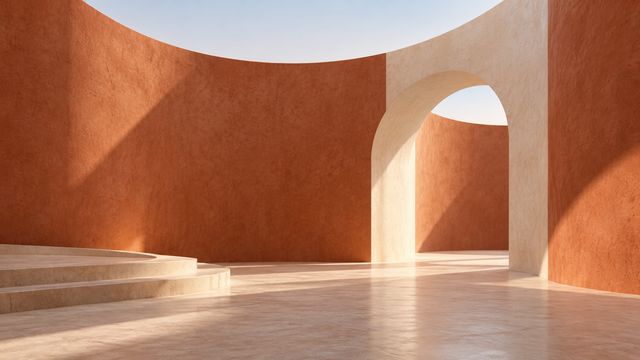
Terracotta Arc Study
Warm plaster and an ivory arch create a gentle neutral starting point.
Preview and use this wallpaper → TabTuyo
Curated collection · 4 selections
Shape and light for a less crowded tab
An abstract wallpaper can make a browser feel considered without asking for much attention. This collection uses architectural forms as its subject: curved plaster, blue stairs, pearl ribbons and dark folded planes. These are generated conceptual spaces, not photographs of buildings you can visit.
Terracotta gives the page warmth through surface texture and soft shadow. Cobalt creates a cooler, brighter geometric rhythm. Pearl curves are more flowing and luminous, while graphite and copper offer the darkest option. The common thread is a small number of forms and a limited palette, which makes it easier to coordinate a theme with the background.
Place search and clock over the broadest quiet area, then keep the rest of the layout equally simple. Two or three modules are often enough. On the cobalt scene, avoid covering every stair edge; on the pearl scene, let the arch stay visible. For graphite, use a theme with clear text contrast so the controls do not disappear into the background.
Terracotta emphasizes warm material and shadow, so it pairs naturally with restrained dark text on light controls. Cobalt stairs are much more graphic: let their repeating edges remain part of the composition. Pearl curves suit a softer panel treatment. Graphite and copper need brighter text and visible control boundaries.
Place a clock and a short favorites list over the least detailed surfaces. Keep notes away from the strongest diagonal, where line breaks compete with the architecture. A narrow window may cut off a curve; check the image fit before adding more modules.
Open an individual item to check its file information and composition. Apply changes the active wallpaper; Save keeps it for later. Wait for the transfer to finish, then check a fresh new tab at your usual window size. For media-source distinctions and upscaling information, read about the artwork.
Warm plaster and an ivory arch create a gentle neutral starting point.
Preview and use this wallpaper →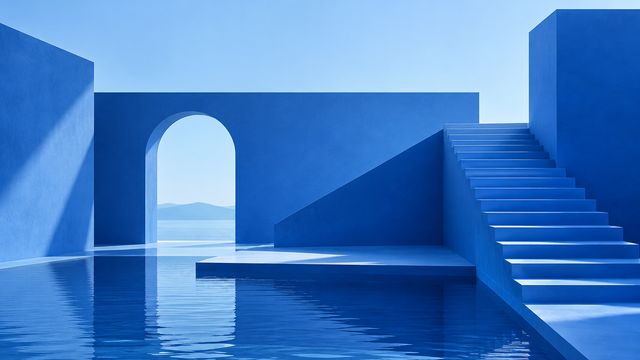
Blue planes and a reflecting pool bring clean structure without text or decoration.
Preview and use this wallpaper →
Sweeping sculptural ribbons leave generous pale sky above the pavilion.
Preview and use this wallpaper →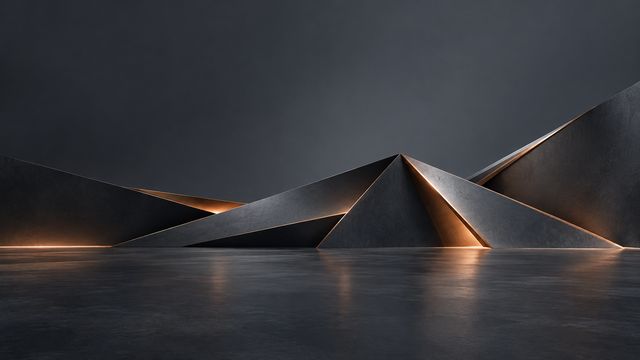
Copper highlights break up dark folded planes. A useful choice for a low-key desktop.
Preview and use this wallpaper →Open an artwork to inspect its full composition. Choose Use in TabTuyo to apply it, or Save to library to keep it for later. Wait for the transfer to finish before closing the page. Your background is stored on your computer.